Deploy your first app to your own cloud in 5 minutes
Deploy a React app to your own AWS account in 5 minutes using Leanly. No Terraform, no console work — one command and your app runs on CloudFront.
Your Railway bill just went up. Again. Here's what the same app costs when you own the infrastructure: fractions of a cent per request, no idle compute, no PaaS markup.
The problem is that "deploy to AWS" historically meant IAM roles, VPC subnets, security groups, regions, and a console that looks like it was designed to keep you out. This post shows the path that skips all of that. One repo, one cloud account, three steps.
Why your PaaS bill keeps growing
Managed platforms buy compute wholesale and charge you a markup for the convenience. That's a reasonable trade when you're getting started. It stops being reasonable the moment your app has real traffic — because you're paying for their margin, not just your usage.
CloudFront in your own AWS account charges per request and per GB transferred. No markup, no idle cost. At low traffic you'll likely stay within AWS's free tier entirely.
The simpler path
We'll walk through deploying a React app to your own AWS account using CloudFront. The steps take about 5 minutes. AWS handles the rest in the background.
You'll need a Leanly account with the CLI, GitHub, and AWS connected. If you haven't set this up yet, our integrations guide walks you through it — takes about 5 minutes.
No Terraform. No console work.
Step 1: Clone the sample repo
git clone https://github.com/leanlydev/leanly-example-react-app && cd leanly-example-react-app
Step 2: Run leanly init
leanly init
This opens the Leanly UI in your browser.
Step 3: Watch us analyse your repo
We analyse your repository and work out what it needs to deploy — the right AWS services, sensible defaults, no input from you. You can see exactly what we're doing before anything is decided.
Step 4: Review and confirm our recommendation
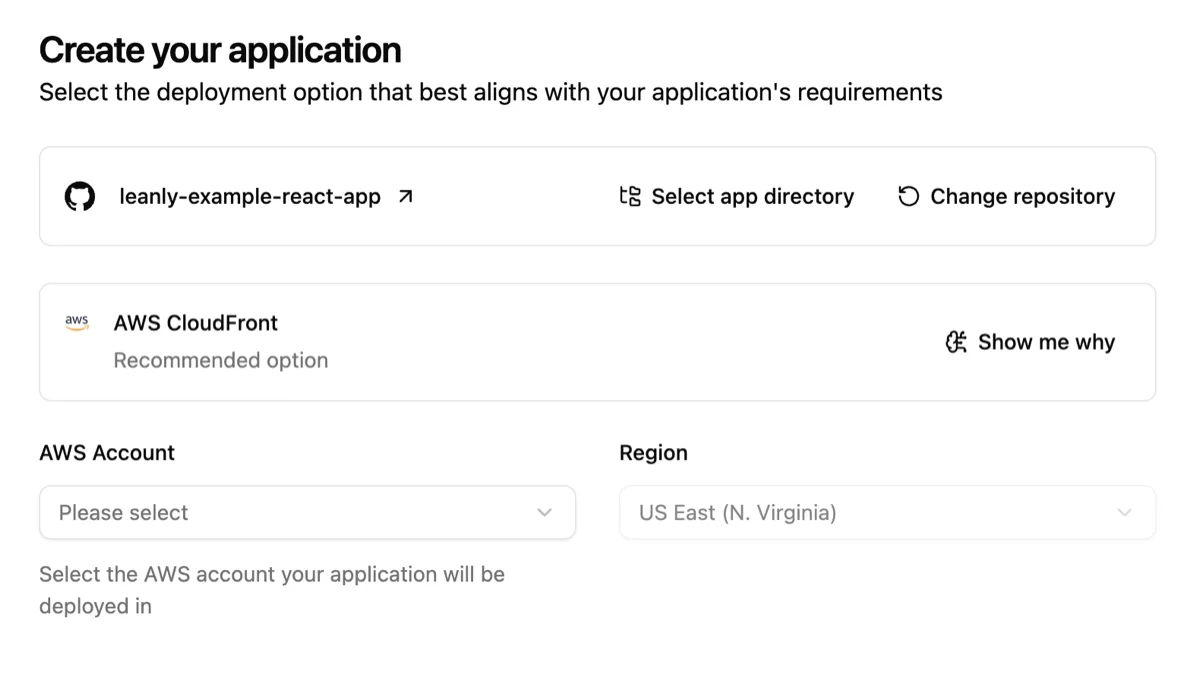
Before touching anything in your account, we show you what we recommend deploying.
Hit Confirm deployment to proceed.
Step 5: Watch it go live
We build your app, sync the output to S3, and provision the CloudFront distribution. CloudFront takes a little while to propagate globally — we show you the progress and give you the live URL when it's ready.
Every subsequent push to your main branch triggers a rebuild and cache invalidation automatically. No manual steps.
What you don't have to worry about
Configuration. Your CloudFront cache policy, your S3 bucket setup — we choose sensible defaults so you don't have to.
Infrastructure state. There's no Terraform state file to manage or store. Everything we provisioned lives in your AWS account — visible in the console and accessible to any tool that connects to AWS, whether that's Terraform, Pulumi, or anything else.
When you actually do need the complexity
If you're running a backend API, a database, or a workload that needs persistent compute — CloudFront alone isn't the right fit. This post is for a React app with no server-side requirements. For anything else, connect your repo and we'll analyse it and recommend the right option for your app.
Try it
Deploy free on Launch Leanly — no credit card, first two services free. Connect your repo, connect your cloud account, and your React app will be running on CloudFront in your own AWS.